v0 clone
⚠️ Developer Preview: This SDK is currently in beta and is subject to change. Use in production at your own risk.
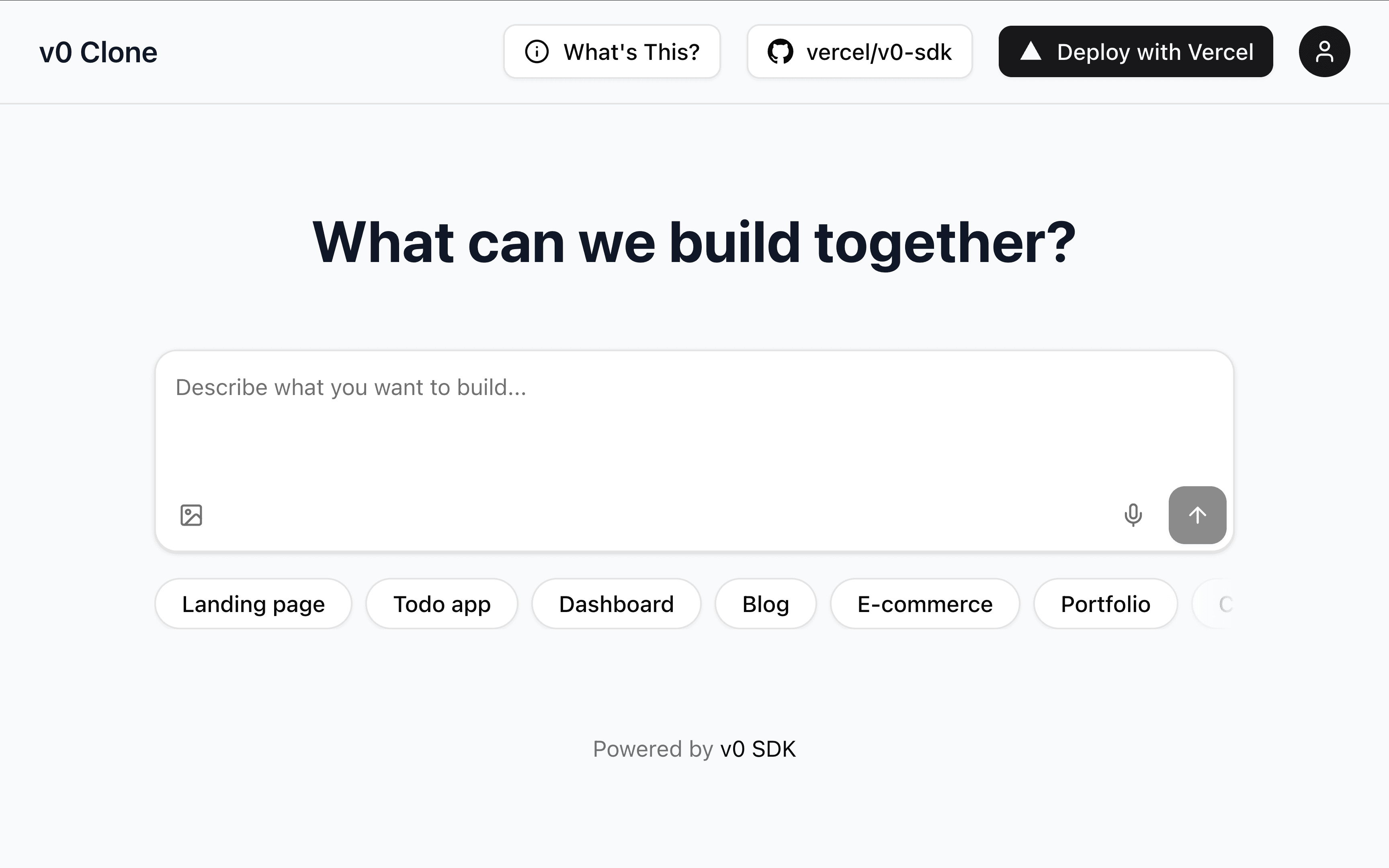
An example of how to use the AI Elements to build a v0 clone with authentication and multi-tenant support.
Features · Deploy Your Own · Setup · Getting Started · Usage
Deploy Your Own
You can deploy your own version of the v0 clone to Vercel with one click:
Setup
Environment Variables
Create a .env file with all required variables:
Database Setup
This project uses PostgreSQL with Drizzle ORM. Set up your database:
-
Generate Database Schema:
pnpm db:generate -
Run Database Migrations:
pnpm db:migrate -
Optional - Open Database Studio:
pnpm db:studio
Getting Started
Then, run the development server:
Open http://localhost:3000 with your browser to see the result.
Features
This v0 clone includes:
Core Features
- AI Elements Integration: Uses AI Elements components for a polished UI
- v0 SDK Integration: Connects to the v0 Platform API for generating apps
- Real-time Preview: Split-screen interface with chat and preview panels
- Conversation History: Maintains chat history throughout the session
- Suggestion System: Provides helpful prompts to get users started
- Streaming Support: Toggle between streaming and non-streaming AI responses for real-time updates
- Comprehensive Task Support: Full support for all v0 Platform API task types including:
task-thinking-v1- AI reasoning and thought processestask-search-web-v1- Web search operations with resultstask-search-repo-v1- Repository/codebase search functionalitytask-diagnostics-v1- Code analysis and issue detectiontask-read-file-v1- File reading operationstask-coding-v1- Code generation and editing taskstask-generate-design-inspiration-v1- Design inspiration generation- Graceful fallback for unknown task types with user-friendly display
Authentication & Multi-Tenant Features
- Anonymous Access: Unauthenticated users can create chats directly (with rate limits)
- Guest Access: Users can register as guests for persistent sessions
- User Registration/Login: Email/password authentication with secure password hashing
- Session Management: Secure session handling with NextAuth.js
- Multi-Tenant Architecture: Multiple users share the same v0 API organization
- Ownership Mapping: Authenticated users only see their own chats and projects
- Rate Limiting: Different limits for anonymous, guest, and registered users
- User Navigation: Header dropdown with user info and sign-out options
Usage
Setup
- Set up all environment variables in
.env - Run database migrations with
pnpm db:migrate - Start the development server with
pnpm devor production server withpnpm start
Using the App
- Anonymous Usage: Visit the homepage and start creating chats immediately (3 chats/day limit)
- Guest Access: Register as a guest for persistent sessions (5 chats/day limit)
- Full Account: Create a permanent account for higher limits (50 chats/day)
- Use the "Streaming" toggle in the header to enable/disable real-time streaming responses
- Enter a prompt describing the app you want to build
- Watch as v0 generates your app in real-time in the preview panel
- Continue the conversation to iterate and improve your app
- Authenticated users' chats are automatically saved and associated with their account
Architecture
Frontend
app/page.tsx- Main UI with chat interface, streaming toggle, and preview panelcomponents/ai-elements/- AI Elements components for the UIcomponents/shared/app-header.tsx- Navigation header with user authentication- Uses
@v0-sdk/reactcomponents for rendering streaming AI responses
Backend & API
app/api/chat/route.ts- Chat creation and messaging with ownership trackingapp/api/chats/- User's chat listing and individual chat accessapp/api/projects/- User's project listing and individual project accessapp/(auth)/- Authentication configuration and login/register pages
Database
- Users: Store user accounts with email and hashed passwords
- ProjectOwnership: Maps v0 API project IDs → user IDs (ownership only)
- ChatOwnership: Maps v0 API chat IDs → user IDs with optional project association
- AnonymousChatLog: Tracks anonymous chat creation by IP address for rate limiting
Multi-Tenant Design
- v0 API as Source of Truth: All actual chat/project data stays in v0 API
- Ownership Layer: Database only tracks "who owns what"
- Access Control: API routes filter v0 data based on ownership
- No Data Duplication: Avoids storing redundant data
Streaming Implementation
When streaming is enabled:
- Frontend sends
streaming: trueto the API route - API route calls
v0.chats.create({ responseMode: 'experimental_stream' }) - Server returns a streaming response with
Content-Type: text/event-stream - Frontend uses
StreamingMessagecomponent from@v0-sdk/reactto render responses in real-time
Database Commands
pnpm db:generate- Generate migration files from schema changespnpm db:migrate- Apply pending migrationspnpm db:studio- Open Drizzle Studio for database inspectionpnpm db:push- Push schema changes directly (for development)
Security Features
- Password hashing with bcrypt
- Secure session cookies
- CSRF protection
- SQL injection protection via Drizzle ORM
- User data isolation through ownership mapping
User Types & Rate Limits
- Anonymous Users: No account needed, 3 chats per day, no data persistence
- Guest Users: Auto-created accounts, 5 chats per day, data persists during session
- Registered Users: Permanent accounts, 50 chats per day, data persists across sessions and devices
Rate limits are enforced per 24-hour period and reset daily.
You now have a working multi-tenant v0 clone with authentication! Feel free to explore the v0 Platform API and extend your app with additional features.